Every portrait group includes name labels under or next to the images Some portrait styles include additional memory and quotation fields.
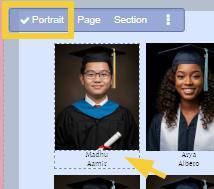
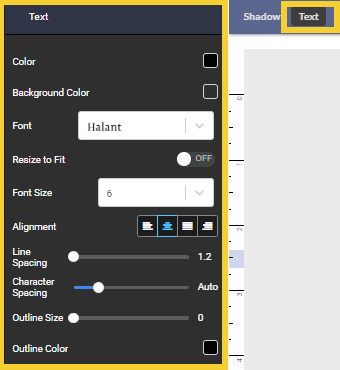
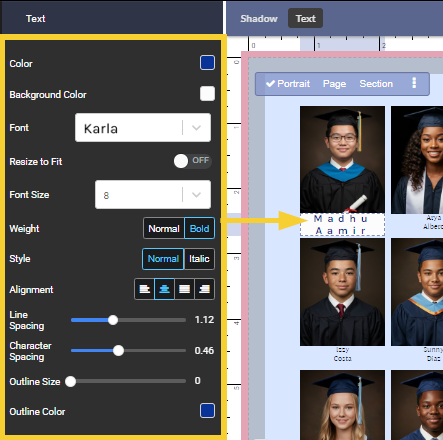
Portrait labels are styled directly on the portrait page, just like a regular text frame. Change font, size, color, shadow, alignment and other features by directly clicking on a label on the page. Unlike regular text frames, you can specify whether the change will apply to the selected text frame, to all labels on the page or all labels in the entire portrait section.
Note that book checkout is not required to make styling changes. Customization of label options (content to include in the label) is formatted on the Portrait tab's Advanced Name Label Options. Typos/corrections to the name labels are done in the portrait manager.
| Styling may be copied from one frame, one page or one section to another via the toolbar over the selected portrait frame. On the page with the desired styling, click on any part of the portrait grid. Click on the menu icon (1) then click Copy Settings (2). Move to the new portrait page, applying the desired level of scoping (individual portrait, whole page, entire section). Click on the portrait grid, then the menu icon, and choose Apply Settings (3). | 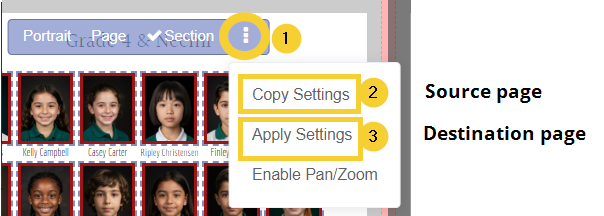 |
Customizing label text individually
Customizing name labels by page or section
To apply the same styling options to all labels on a single page, select one label then choose Page. Apply text and shadow options to apply only to the current page.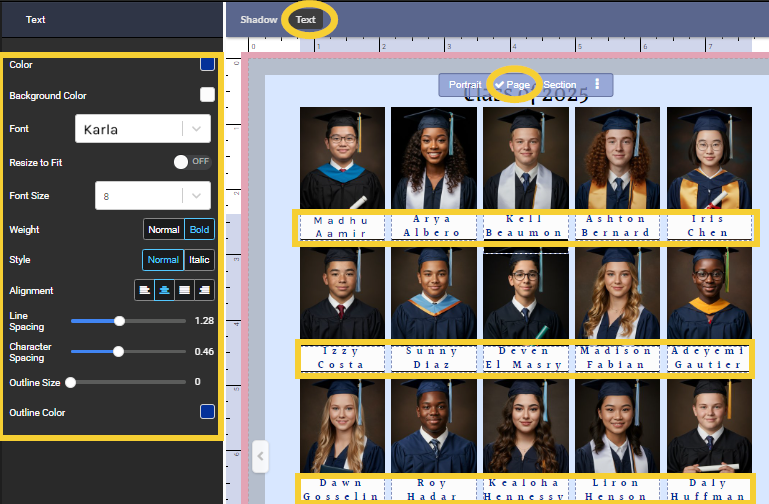
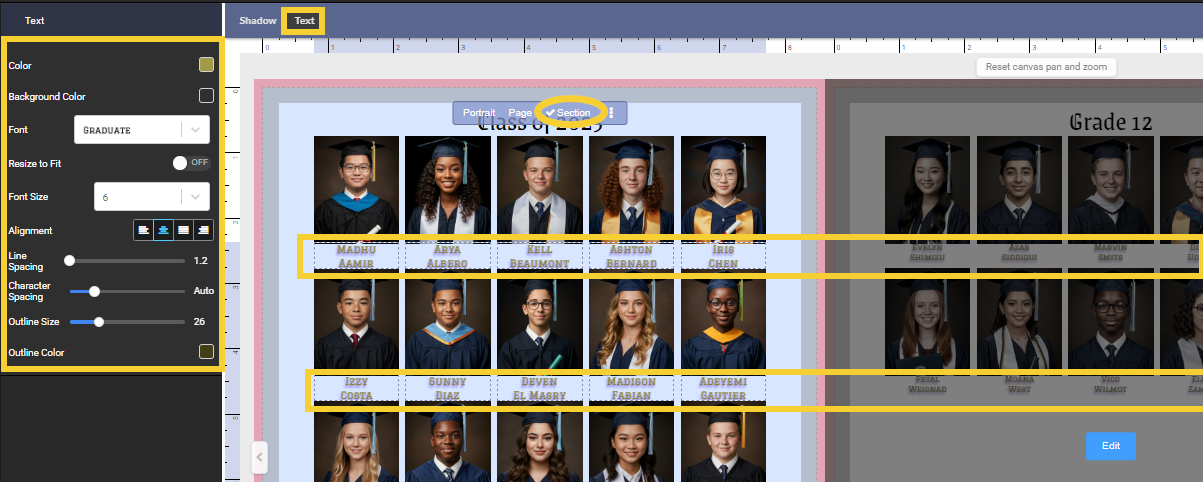
To apply the same styling options to all names within a section, select one title then choose Section. Select Text or Shadow options, then make changes in the editor. The changes will apply to all pages in the section immediately.
Customizing Quotes & Memories TextCertain portrait templates include additional text to include memories and quotes. These text frames may be customized in the same manner as the name labels.Click on a quote/memory, choose to change the individual frame, all memory/quote text on the page, or all memory/quote text in the section. Adjust the text and shadow properties as desired. | 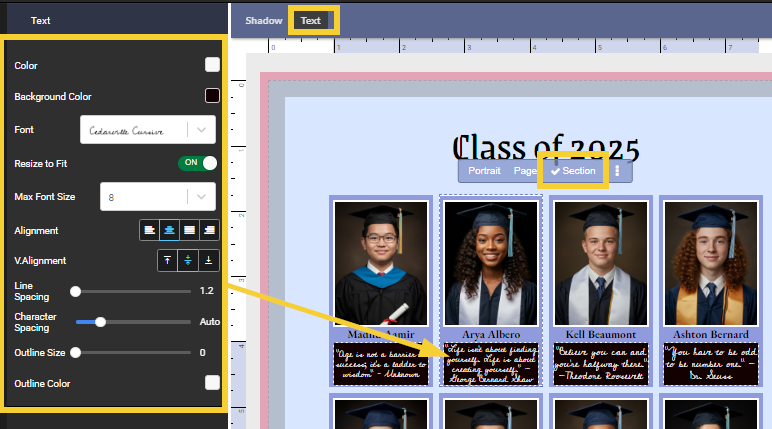 Memories/Quote text is added directly to the portrait manager, not in the portrait editor. Learn more about senior class portrait management options. Memories/Quote text is added directly to the portrait manager, not in the portrait editor. Learn more about senior class portrait management options. |
Name label formattingName label formatting is changed in the Portraits tab under Advanced features. Click on the Portraits tab then check out the book. | 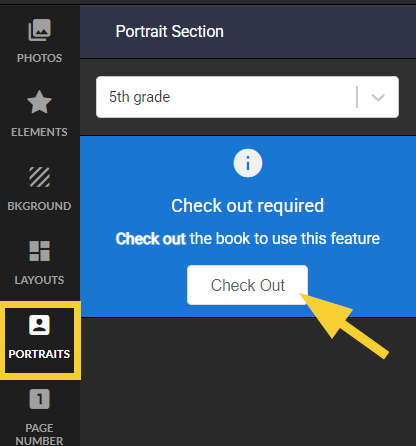 |
Details on these features are available in the Advanced name label article. | 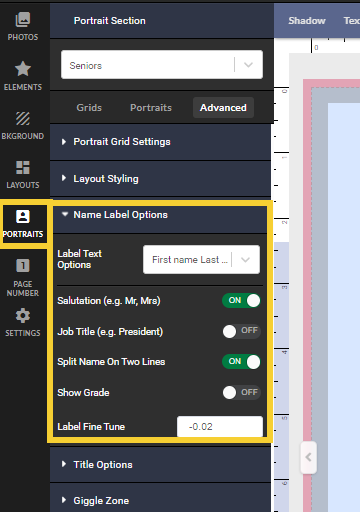 |
Was this article helpful?
That’s Great!
Thank you for your feedback
Sorry! We couldn't be helpful
Thank you for your feedback
Feedback sent
We appreciate your effort and will try to fix the article